official Fotoable free unlock



Fotoable


Program available in English Program license Free - System Android


Category : Photography
Program  : Free
Version  : 4.8.8
Size     : 44 MB
Works under : Android
Package name : com.pipcamera.activity
Votes : 2 Votes / Ratting : 4.8
Program by : Fotoable,Inc. 402-C, Building B6, No.66 Xixiaokou Road, Haidian District, Beijing
Content rating - Everyone

Watch Fotoable Video Review 

Review - Fotoable 

Fotoable is an Android browser that is a limited version of the regular UC Browser. It has many of the same features that made the UC Browser popular. It is a great alternative browser if you want something simpler than the traditional browsers for Android.  Fotoable has many great features. One feature is that it is a very fast browser for downloading files or watching videos. Another feature is that video playback can be controlled by gestures. Also, Fotoable has an incognito mode to secure your privacy. The browser additionally has a Night Mode which makes it easier to read text when it is dark.  The browser is very well designed. The user-interface is very stylish and clean, letting you focus on what you are doing. The tab management is simpler and easier to use than it is for most Android browsers. A quick-search feature allows you to search right from the navigation bar. In addition, navigation cards allow you to get updates about news and events based on your location.  Pros:  Fast download speeds Intuitive user-interface Small and fast browser Many useful features  Cons:  Not as many features as in standard browsers Night Mode may not work well depending on system brightness settings Built-in download manager doesn’t always work as expected

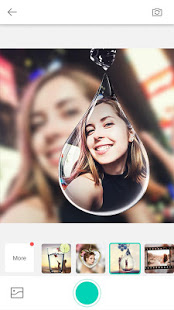
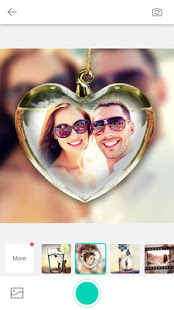
Screenshots Fotoable 


What Is New 

Potentially dangerous permissions CAMERA: Required to be able to access the camera device. WRITE_EXTERNAL_STORAGE: Allows an application to write to external storage. Other permissions ACCESS_NETWORK_STATE: Allows applications to access information about networks. ACCESS_WIFI_STATE: Allows applications to access information about Wi-Fi networks. INTERNET: Allows applications to open network sockets. WAKE_LOCK: Allows using PowerManager WakeLocks to keep processor from sleeping or screen from dimming. com.android.vending.BILLING com.google.android.c2dm.permission.RECEIVE com.pipcamera.activity.permission.C2D_MESSAGE


Mod APK Photo Grid - Collage Maker free unlock


Photo Grid - Collage Maker


Program available in English Program license Free - System Android


Category : Photography
Program  : Free
Version  : 7.41
Size     : 28 MB
Works under : Android
Package name : com.roidapp.photogrid
Votes : 133 Votes / Ratting : 3.9
Program by : Cheetah Mobile (Photo Editor) 225 Bush St. floor 12th. San Francisco, CA, 94104
Content rating - Everyone

Watch Photo Grid - Collage Maker Video Review 

Review - Photo Grid - Collage Maker 

Photo Grid - Collage Maker is an Android browser that is a limited version of the regular UC Browser. It has many of the same features that made the UC Browser popular. It is a great alternative browser if you want something simpler than the traditional browsers for Android.  Photo Grid - Collage Maker has many great features. One feature is that it is a very fast browser for downloading files or watching videos. Another feature is that video playback can be controlled by gestures. Also, Photo Grid - Collage Maker has an incognito mode to secure your privacy. The browser additionally has a Night Mode which makes it easier to read text when it is dark.  The browser is very well designed. The user-interface is very stylish and clean, letting you focus on what you are doing. The tab management is simpler and easier to use than it is for most Android browsers. A quick-search feature allows you to search right from the navigation bar. In addition, navigation cards allow you to get updates about news and events based on your location.  Pros:  Fast download speeds Intuitive user-interface Small and fast browser Many useful features  Cons:  Not as many features as in standard browsers Night Mode may not work well depending on system brightness settings Built-in download manager doesn’t always work as expected

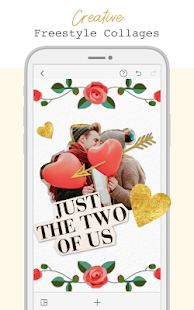
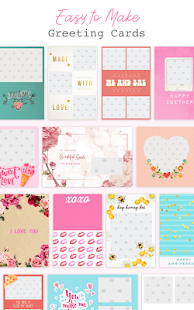
Screenshots Photo Grid - Collage Maker 


What Is New 

Non-stop celebrating! Upgrade now and have fun! 1.Materials: Lunar New Year backgrounds/ stickers are now available! 2.Arranging texts by heart-shaped, showing your love to others


Free APK Pic Collage full version


Pic Collage


Program available in English Program license Free - System Android


Category : Photography
Program  : Free
Version  : 6.39.7
Size     : 22 MB
Works under : Android
Package name : com.cardinalblue.piccollage.google
Votes : 82 Votes / Ratting : 4.5
Program by : Cardinal Blue Software, Inc. P.O. Box 390677 Mountain View, CA94039 USA
Content rating - Everyone

Watch Pic Collage Video Review 

Review - Pic Collage 

Pic Collage is an Android browser that is a limited version of the regular UC Browser. It has many of the same features that made the UC Browser popular. It is a great alternative browser if you want something simpler than the traditional browsers for Android.  Pic Collage has many great features. One feature is that it is a very fast browser for downloading files or watching videos. Another feature is that video playback can be controlled by gestures. Also, Pic Collage has an incognito mode to secure your privacy. The browser additionally has a Night Mode which makes it easier to read text when it is dark.  The browser is very well designed. The user-interface is very stylish and clean, letting you focus on what you are doing. The tab management is simpler and easier to use than it is for most Android browsers. A quick-search feature allows you to search right from the navigation bar. In addition, navigation cards allow you to get updates about news and events based on your location.  Pros:  Fast download speeds Intuitive user-interface Small and fast browser Many useful features  Cons:  Not as many features as in standard browsers Night Mode may not work well depending on system brightness settings Built-in download manager doesn’t always work as expected

Screenshots Pic Collage 


What Is New 

(function($) { $(function() { // Find all YouTube videos var $allVideos = $("#tabs-4 .vcontainer iframe"), // The element that is fluid width $fluidEl = $("#tabs-4 .vcontainer"); // Figure out and save aspect ratio for each video $allVideos.each(function() { $(this) .data('aspectRatio', this.height / this.width) // and remove the hard coded width/height .removeAttr('height') .removeAttr('width'); }); // When the window is resized $(window).resize(function() { var newWidth = $fluidEl.width(); // Resize all videos according to their own aspect ratio $allVideos.each(function() { var $el = $(this); $el .width(newWidth) .height(newWidth * $el.data('aspectRatio')); }); // Kick off one resize to fix all videos on page load }).resize(); }); })(jQuery);


Free APK B612 Original


B612


Program available in English Program license Free - System Android


Category : Photography
Program  : Free
Version  : 9.0.6
Size     : 48 MB
Works under : Android
Package name : com.linecorp.b612.android
Votes : 61 Votes / Ratting : 4.4
Program by : SNOW, Inc. 575 High Street,Suite 110 Palo Alto, CA 94301
Content rating - Everyone

Watch B612 Video Review 

Review - B612 

B612 is an Android browser that is a limited version of the regular UC Browser. It has many of the same features that made the UC Browser popular. It is a great alternative browser if you want something simpler than the traditional browsers for Android.  B612 has many great features. One feature is that it is a very fast browser for downloading files or watching videos. Another feature is that video playback can be controlled by gestures. Also, B612 has an incognito mode to secure your privacy. The browser additionally has a Night Mode which makes it easier to read text when it is dark.  The browser is very well designed. The user-interface is very stylish and clean, letting you focus on what you are doing. The tab management is simpler and easier to use than it is for most Android browsers. A quick-search feature allows you to search right from the navigation bar. In addition, navigation cards allow you to get updates about news and events based on your location.  Pros:  Fast download speeds Intuitive user-interface Small and fast browser Many useful features  Cons:  Not as many features as in standard browsers Night Mode may not work well depending on system brightness settings Built-in download manager doesn’t always work as expected

Screenshots B612 


What Is New 

In 2020, more stable and powerful B612 is back! B612 always tries hard to provide the best user experience. We have fixed bugs and improved performance on this version.