Free APK Mobdro full version



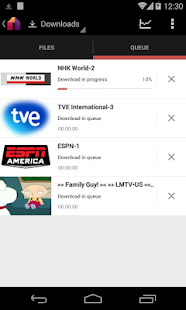
Mobdro


Program available in English Program license Free - System Android


Category : Video
Program  : Free
Version  : 2.1.12 Freemium
Size     : 18 MB
Works under : Android
Package name : com.mobdro.android
Votes : 17 Votes / Ratting : 3.2
Program by : Mobdro.com
Content rating - Medium Maturity

Watch Mobdro Video Review 

Review - Mobdro 

Mobdro is an Android browser that is a limited version of the regular UC Browser. It has many of the same features that made the UC Browser popular. It is a great alternative browser if you want something simpler than the traditional browsers for Android.  Mobdro has many great features. One feature is that it is a very fast browser for downloading files or watching videos. Another feature is that video playback can be controlled by gestures. Also, Mobdro has an incognito mode to secure your privacy. The browser additionally has a Night Mode which makes it easier to read text when it is dark.  The browser is very well designed. The user-interface is very stylish and clean, letting you focus on what you are doing. The tab management is simpler and easier to use than it is for most Android browsers. A quick-search feature allows you to search right from the navigation bar. In addition, navigation cards allow you to get updates about news and events based on your location.  Pros:  Fast download speeds Intuitive user-interface Small and fast browser Many useful features  Cons:  Not as many features as in standard browsers Night Mode may not work well depending on system brightness settings Built-in download manager doesn’t always work as expected

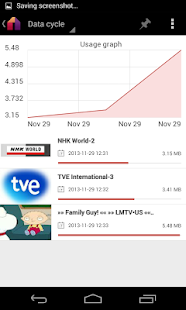
Screenshots Mobdro 


What Is New 

What's New v 1.1.132 - Fixed keep screen on. - Added possibility to enable software color conversion. - Fixed downloading not working when image is not present. - Fixed player not working when video track is not found. - Small performance improvements. v 1.1.116 - Fixed a bug causing downloading feature not working properly. v 1.1.114 - Minor bugs fixed. - Fixed audio in some streamings. Read more


official FIFA Mobile Original


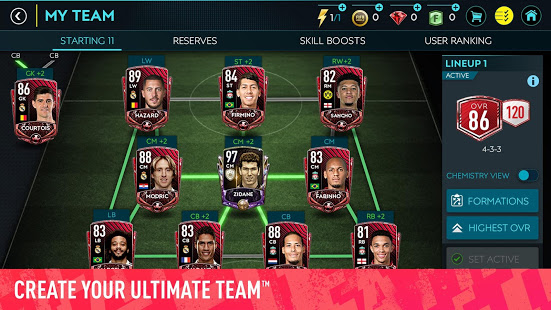
FIFA Mobile


Program available in English Program license Free - System Android


Category : Sports
Program  : Free
Version  : 13.0.13
Size     : 65 MB
Works under : Android
Package name : com.ea.gp.fifamobile
Votes : 126 Votes / Ratting : 3.9
Program by : ELECTRONIC ARTS Geneva, Switzerland
Content rating - Everyone

Watch FIFA Mobile Video Review 

Review - FIFA Mobile 

FIFA Mobile is an Android browser that is a limited version of the regular UC Browser. It has many of the same features that made the UC Browser popular. It is a great alternative browser if you want something simpler than the traditional browsers for Android.  FIFA Mobile has many great features. One feature is that it is a very fast browser for downloading files or watching videos. Another feature is that video playback can be controlled by gestures. Also, FIFA Mobile has an incognito mode to secure your privacy. The browser additionally has a Night Mode which makes it easier to read text when it is dark.  The browser is very well designed. The user-interface is very stylish and clean, letting you focus on what you are doing. The tab management is simpler and easier to use than it is for most Android browsers. A quick-search feature allows you to search right from the navigation bar. In addition, navigation cards allow you to get updates about news and events based on your location.  Pros:  Fast download speeds Intuitive user-interface Small and fast browser Many useful features  Cons:  Not as many features as in standard browsers Night Mode may not work well depending on system brightness settings Built-in download manager doesn’t always work as expected

Screenshots FIFA Mobile 


What Is New 

Weve made improvements to game stability and load times to get you in quicker and play and playing more FIFA! Dont forget to follow us @eafifamobile to stay up to date and connect with the development team.


Download Dragon Ball Z: Dokkan Battle full version


Dragon Ball Z: Dokkan Battle


Program available in English Program license Free - System Android


Category : Action/Adventure
Program  : Free
Version  : 2.13.5
Size     : 46 MB
Works under : Android
Package name : com.bandainamcogames.dbzdokkanww
Votes : 79 Votes / Ratting : 4
Program by : BANDAI NAMCO Entertainment Inc. ??????5-37-8?????????????
Content rating - Teen

Watch Dragon Ball Z: Dokkan Battle Video Review 

Review - Dragon Ball Z: Dokkan Battle 

Dragon Ball Z: Dokkan Battle is an Android browser that is a limited version of the regular UC Browser. It has many of the same features that made the UC Browser popular. It is a great alternative browser if you want something simpler than the traditional browsers for Android.  Dragon Ball Z: Dokkan Battle has many great features. One feature is that it is a very fast browser for downloading files or watching videos. Another feature is that video playback can be controlled by gestures. Also, Dragon Ball Z: Dokkan Battle has an incognito mode to secure your privacy. The browser additionally has a Night Mode which makes it easier to read text when it is dark.  The browser is very well designed. The user-interface is very stylish and clean, letting you focus on what you are doing. The tab management is simpler and easier to use than it is for most Android browsers. A quick-search feature allows you to search right from the navigation bar. In addition, navigation cards allow you to get updates about news and events based on your location.  Pros:  Fast download speeds Intuitive user-interface Small and fast browser Many useful features  Cons:  Not as many features as in standard browsers Night Mode may not work well depending on system brightness settings Built-in download manager doesn’t always work as expected

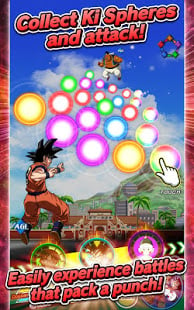
Screenshots Dragon Ball Z: Dokkan Battle 


What Is New 

4.7.0 - Optimized ""Shop"". - Optimized ""Pilaf's Trove"". - Fixed the issue where certain Support Items' effects would not stack upon repeated use.


Mod APK Photo Grid - Collage Maker free unlock


Photo Grid - Collage Maker


Program available in English Program license Free - System Android


Category : Photography
Program  : Free
Version  : 7.41
Size     : 28 MB
Works under : Android
Package name : com.roidapp.photogrid
Votes : 133 Votes / Ratting : 3.9
Program by : Cheetah Mobile (Photo Editor) 225 Bush St. floor 12th. San Francisco, CA, 94104
Content rating - Everyone

Watch Photo Grid - Collage Maker Video Review 

Review - Photo Grid - Collage Maker 

Photo Grid - Collage Maker is an Android browser that is a limited version of the regular UC Browser. It has many of the same features that made the UC Browser popular. It is a great alternative browser if you want something simpler than the traditional browsers for Android.  Photo Grid - Collage Maker has many great features. One feature is that it is a very fast browser for downloading files or watching videos. Another feature is that video playback can be controlled by gestures. Also, Photo Grid - Collage Maker has an incognito mode to secure your privacy. The browser additionally has a Night Mode which makes it easier to read text when it is dark.  The browser is very well designed. The user-interface is very stylish and clean, letting you focus on what you are doing. The tab management is simpler and easier to use than it is for most Android browsers. A quick-search feature allows you to search right from the navigation bar. In addition, navigation cards allow you to get updates about news and events based on your location.  Pros:  Fast download speeds Intuitive user-interface Small and fast browser Many useful features  Cons:  Not as many features as in standard browsers Night Mode may not work well depending on system brightness settings Built-in download manager doesn’t always work as expected

Screenshots Photo Grid - Collage Maker 


What Is New 

Non-stop celebrating! Upgrade now and have fun! 1.Materials: Lunar New Year backgrounds/ stickers are now available! 2.Arranging texts by heart-shaped, showing your love to others


Free APK ReveLA WIFI free unlock


ReveLA WIFI


Program available in es.expectro.revelan Program license Free - System Android


Category : Networks
Program  : Free
Version  : 1.4.1
Size     : 688 KB
Works under : Android
Package name : Exper9
Votes : 5 Votes / Ratting : 2.4
Program by : Exper9
Content rating - Exper9

Watch ReveLA WIFI Video Review 

Review - ReveLA WIFI 

ReveLA WIFI is an Android browser that is a limited version of the regular UC Browser. It has many of the same features that made the UC Browser popular. It is a great alternative browser if you want something simpler than the traditional browsers for Android.  ReveLA WIFI has many great features. One feature is that it is a very fast browser for downloading files or watching videos. Another feature is that video playback can be controlled by gestures. Also, ReveLA WIFI has an incognito mode to secure your privacy. The browser additionally has a Night Mode which makes it easier to read text when it is dark.  The browser is very well designed. The user-interface is very stylish and clean, letting you focus on what you are doing. The tab management is simpler and easier to use than it is for most Android browsers. A quick-search feature allows you to search right from the navigation bar. In addition, navigation cards allow you to get updates about news and events based on your location.  Pros:  Fast download speeds Intuitive user-interface Small and fast browser Many useful features  Cons:  Not as many features as in standard browsers Night Mode may not work well depending on system brightness settings Built-in download manager doesn’t always work as expected

Screenshots ReveLA WIFI 


What Is New 


free mod iOS 8 Launcher Original


iOS 8 Launcher


Program available in English Program license Free - System Android


Category : Launchers
Program  : Free
Version  : 2.2.222.20140909
Size     : 9 MB
Works under : Android
Package name : com.one.appx.launcher
Votes : 10 Votes / Ratting : 3.8
Program by : Hubert Gu
Content rating - Low Maturity

Watch iOS 8 Launcher Video Review 

Review - iOS 8 Launcher 

iOS 8 Launcher is an Android browser that is a limited version of the regular UC Browser. It has many of the same features that made the UC Browser popular. It is a great alternative browser if you want something simpler than the traditional browsers for Android.  iOS 8 Launcher has many great features. One feature is that it is a very fast browser for downloading files or watching videos. Another feature is that video playback can be controlled by gestures. Also, iOS 8 Launcher has an incognito mode to secure your privacy. The browser additionally has a Night Mode which makes it easier to read text when it is dark.  The browser is very well designed. The user-interface is very stylish and clean, letting you focus on what you are doing. The tab management is simpler and easier to use than it is for most Android browsers. A quick-search feature allows you to search right from the navigation bar. In addition, navigation cards allow you to get updates about news and events based on your location.  Pros:  Fast download speeds Intuitive user-interface Small and fast browser Many useful features  Cons:  Not as many features as in standard browsers Night Mode may not work well depending on system brightness settings Built-in download manager doesn’t always work as expected

Screenshots iOS 8 Launcher 


What Is New 

What's New ChangeLog 1. Fix bug that set default launcher may cause screen not be able to turn off 2. Smaller APK 3. Fix bug that sometime setting default launcher is failed 4. Fix bug that icons in folder is some time wrong 5. UI changes Read more


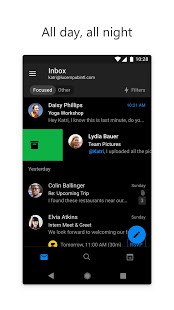
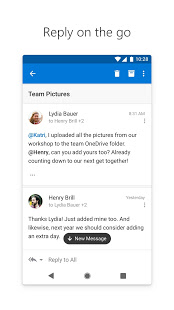
free mod Microsoft Outlook Original


Microsoft Outlook


Program available in Windows Program license Free - System Android


Category : Utilities
Program  : Free
Version  : 4.1.15
Size     : 104 MB
Works under : Android
Package name : Everyone
Votes : 47 Votes / Ratting : 4
Program by : com.microsoft.office.outlook
Content rating - English

Watch Microsoft Outlook Video Review 

Review - Microsoft Outlook 

Microsoft Outlook is an Android browser that is a limited version of the regular UC Browser. It has many of the same features that made the UC Browser popular. It is a great alternative browser if you want something simpler than the traditional browsers for Android.  Microsoft Outlook has many great features. One feature is that it is a very fast browser for downloading files or watching videos. Another feature is that video playback can be controlled by gestures. Also, Microsoft Outlook has an incognito mode to secure your privacy. The browser additionally has a Night Mode which makes it easier to read text when it is dark.  The browser is very well designed. The user-interface is very stylish and clean, letting you focus on what you are doing. The tab management is simpler and easier to use than it is for most Android browsers. A quick-search feature allows you to search right from the navigation bar. In addition, navigation cards allow you to get updates about news and events based on your location.  Pros:  Fast download speeds Intuitive user-interface Small and fast browser Many useful features  Cons:  Not as many features as in standard browsers Night Mode may not work well depending on system brightness settings Built-in download manager doesn’t always work as expected

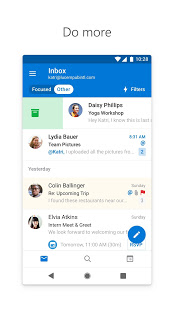
Screenshots Microsoft Outlook 


What Is New 

(function($) { $(function() { // Find all YouTube videos var $allVideos = $("#tabs-4 .vcontainer iframe"), // The element that is fluid width $fluidEl = $("#tabs-4 .vcontainer"); // Figure out and save aspect ratio for each video $allVideos.each(function() { $(this) .data('aspectRatio', this.height / this.width) // and remove the hard coded width/height .removeAttr('height') .removeAttr('width'); }); // When the window is resized $(window).resize(function() { var newWidth = $fluidEl.width(); // Resize all videos according to their own aspect ratio $allVideos.each(function() { var $el = $(this); $el .width(newWidth) .height(newWidth * $el.data('aspectRatio')); }); // Kick off one resize to fix all videos on page load }).resize(); }); })(jQuery);